
Free JPEG to PDF Converter Online
In today’s digital world, sharing documents in a professional format is more important than ever. Whether you’re submitting school assignments, sending business reports, uploading government documents, or sharing scanned images, PDF has become the most trusted file format. However, many photos captured on smartphones and cameras are saved as JPEG (JPG) files, making it necessary to convert them into a PDF before sharing.
Our Free JPEG to PDF Converter is a fast, secure, and easy-to-use online tool that helps you convert one or multiple JPEG images into a high-quality PDF document within seconds. There is no need to install any software, create an account, or pay for premium features. Simply upload your JPEG files, click the convert button, and download your PDF instantly.
Designed for students, teachers, professionals, photographers, freelancers, businesses, and everyday users, this tool works smoothly on desktops, laptops, tablets, and smartphones. Whether you are using Windows, macOS, Android, or iPhone, you can convert your images anytime and anywhere.
Unlike many online converters that reduce image quality or add unwanted watermarks, our converter preserves the original image quality while creating a clean and professional PDF document. Your uploaded files are processed securely, making this tool a reliable choice for personal and professional use.
What Is a JPEG to PDF Converter?
A JPEG to PDF Converter is an online tool that converts JPEG (Joint Photographic Experts Group) image files into PDF (Portable Document Format) documents. Instead of sending multiple image files separately, you can combine them into one organized PDF file that is easier to share, print, and store.
For example, if you have:
- Passport photos
- ID card scans
- School notes
- Office documents
- Receipts
- Certificates
- Medical reports
- Assignment pages
You can merge them into a single PDF within seconds.
PDF files are widely accepted because they maintain the same formatting across all devices and operating systems. Whether someone opens your PDF on a mobile phone, tablet, or computer, the document will appear exactly as intended.
Why Convert JPEG Images to PDF?
Although JPEG is one of the most popular image formats, it isn’t always the best option for sharing documents. PDF offers several advantages that make it the preferred format for official and professional use.
Here are some common reasons to convert JPEG images into PDF:
Easier File Sharing
Instead of sending multiple image files one by one, you can combine them into a single PDF file. This keeps everything organized and saves time.
Professional Appearance
PDF documents look more professional than separate image files. Businesses, educational institutions, and government organizations often require PDF submissions.
Better Printing
PDF preserves page layout, image quality, and formatting, making it ideal for printing reports, forms, assignments, and certificates.
Secure Storage
PDF files are easier to archive and manage. They are widely used for storing digital documents safely.
Universal Compatibility
PDF files can be opened on almost every operating system without losing formatting or quality.
How Does Our JPEG to PDF Converter Work?
Our converter is designed with simplicity in mind. You don’t need any technical knowledge to convert your images.
Simply follow these easy steps:
Step 1 – Upload JPEG Images
Go to SF Tool website and opein the “JPEG to PDF Converter” and Click the Upload Images button and select one or multiple JPEG/JPG files from your device.
You can upload:
- Passport photos
- Camera images
- Mobile photos
- Scanned documents
- Certificates
- Receipts
Step 2 – Arrange Image Order
If you’re converting multiple images into one PDF, arrange them in your preferred order before conversion.
This helps create a well-organized document.
Step 3 – Click the Convert Button
Press the Convert to PDF button.
Our tool will automatically process your images and generate a high-quality PDF within a few seconds.
Step 4 – Download Your PDF
Once the conversion is complete, click Download PDF to save your file to your device.
Your PDF is now ready to share, print, or upload.
Key Features of Our JPEG to PDF Converter
Discover why thousands of users trust our online JPEG to PDF Converter for fast, secure, and high-quality image conversion.
| Feature | Description |
|---|---|
|
✓
100% Free
|
Convert JPEG images into PDF documents without paying any subscription fees or hidden charges. |
|
✓
No Registration Required
|
Start converting immediately without creating an account or logging in. |
|
✓
High-Quality Output
|
Your converted PDF preserves excellent image quality, sharpness, and resolution. |
|
✓
Fast Conversion
|
Powerful processing technology converts your images into PDF files within seconds. |
|
✓
Supports Multiple Images
|
Upload and merge multiple JPEG images into a single organized PDF document. |
|
✓
Mobile Friendly
|
Works perfectly on Android phones, iPhones, tablets, laptops, Macs, and desktop computers. |
|
✓
Secure File Processing
|
Files are processed securely to help protect your privacy and personal data. |
|
✓
No Watermark
|
Download clean PDF files without any branding, advertisements, or watermarks. |
|
✓
Easy to Use
|
A beginner-friendly interface makes converting JPEG images to PDF simple for everyone. |
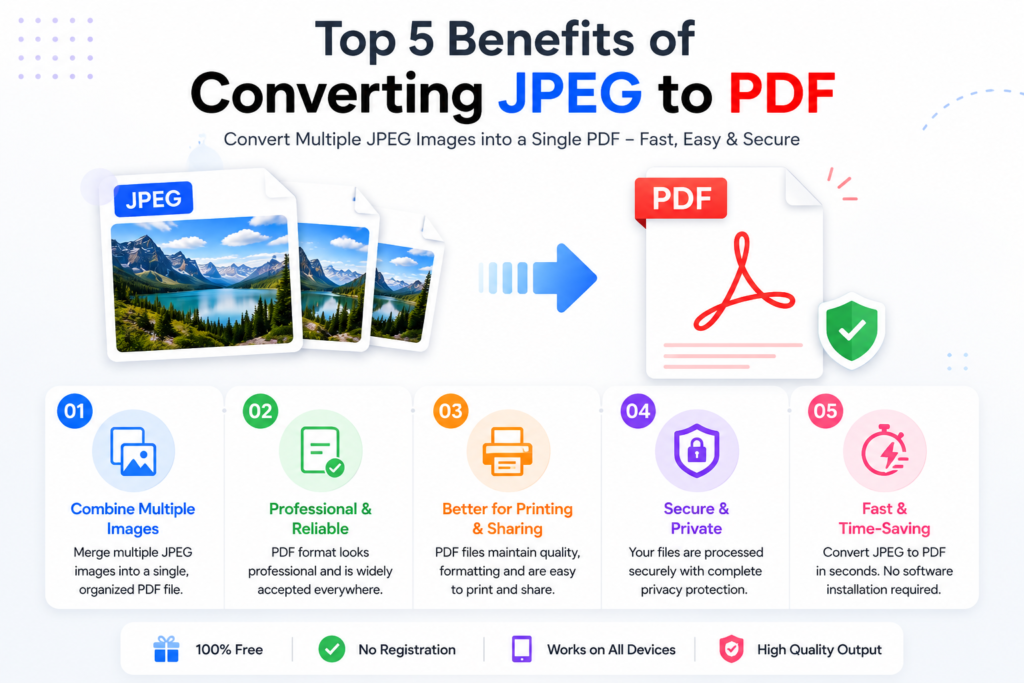
Top 5 Benefits of Converting JPEG to PDF
Converting JPEG images into PDF documents offers many advantages for personal, educational, and professional use. Whether you’re sharing important documents or organizing multiple images, PDF provides a more reliable and universally accepted format. Below are the key benefits of using our Free JPEG to PDF Converter.
1. Combine Multiple Images into One PDF
One of the biggest advantages of PDF is the ability to merge multiple JPEG images into a single document. Instead of sending several image files individually, you can organize everything into one professional PDF.
For example, you can combine:
- School assignments
- Office reports
- Passport photos
- ID card scans
- Certificates
- Receipts
- Bills
- Project documents
This makes file management much easier and keeps your documents organized.
2. Professional Document Sharing
Most businesses, universities, banks, and government organizations prefer PDF documents because they preserve formatting across all devices.
A PDF looks exactly the same whether it is opened on:
- Windows PC
- MacBook
- Android Phone
- iPhone
- Tablet
- Linux Computer
This consistency makes PDF the preferred format for official communication.
3. Better Printing Quality
JPEG images may shift in size or orientation during printing. PDFs maintain proper page dimensions, image alignment, and resolution, making them ideal for high-quality printing.
This is especially useful for:
- Application forms
- Certificates
- Identity documents
- Academic reports
- Business presentations
4. Easy Email Attachments
Sending ten separate JPEG images can be confusing for recipients. By converting them into one PDF, you only need to attach a single file, making email communication cleaner and more professional.
5. Faster Online Uploads
Many online portals accept PDF files but do not allow multiple image uploads.
Examples include:
- Government applications
- Job portals
- College admission forms
- Scholarship applications
- Visa documentation
- Banking portals
JPEG vs PDF – Which Format Is Better?
Although both JPEG and PDF are widely used, each serves a different purpose. This comparison table helps you quickly understand which format is best for sharing, printing, document management, and professional use.
| Feature | 🖼 JPEG (JPG) | |
|---|---|---|
| File Type | 🖼 Image | 📄 Document |
| Multiple Pages | ❌ No | ✅ Yes |
| Professional Sharing | ⚠️ Limited | ✅ Excellent |
| Printing Quality | 👍 Good | 🌟 Excellent |
| Email Friendly | ⚠️ Average | 🏆 Best |
| Document Organization | ❌ Difficult | ✅ Easy |
| Widely Accepted | 👍 Moderate | 🏆 Very High |
| Security Options | ❌ No | 🔒 Yes |
| Business Use | ⚠️ Limited | 💼 Excellent |
| Government Forms | 🟡 Sometimes | ✅ Preferred |
When Should You Use JPEG?
JPEG is ideal for:
- Digital photography
- Social media uploads
- Website images
- Product photos
- Image galleries
When Should You Use PDF?
PDF is best for:
- Official documents
- School assignments
- Reports
- Invoices
- Contracts
- Government applications
- eBooks
- Certificates
- Portfolios
Why Choose Our Free JPEG to PDF Converter?
There are hundreds of online conversion tools available, but our converter is designed with speed, simplicity, and privacy in mind.
Here are the reasons thousands of users choose our tool every day.
1. Lightning Fast Conversion
Our optimized conversion engine processes your images in just a few seconds, saving valuable time.
2. High-Quality PDF Output
Image quality remains sharp and clear after conversion. Your PDF maintains the original resolution of your uploaded JPEG files.
3. Completely Free
No subscriptions.
No hidden charges.
No premium plans.
Enjoy unlimited conversions at no cost.
4. No Software Installation
Everything works directly in your browser.
You don’t need to download:
- Desktop software
- Browser extensions
- Mobile apps
Simply upload, convert, and download.
5. User-Friendly Interface
Our clean interface is designed for users of all experience levels.
Even first-time visitors can convert images into PDF without any technical knowledge.
6. Cross-Platform Compatibility
The converter works smoothly on:
- Windows
- macOS
- Linux
- Android
- iPhone
- iPad
- Chromebook
All you need is an internet connection and a web browser.
7. Secure File Processing
Your privacy matters.
Uploaded images are processed securely, and you remain in control of your files throughout the conversion process.
Common Uses of JPEG to PDF Conversion
People across education, business, government, and creative industries use JPEG to PDF conversion every day. Here are some of the most common real-world use cases.
| User Category | Common Uses |
|---|---|
| 🎓 Students |
|
| 👩🏫 Teachers |
|
| 🏢 Office Employees |
|
| 💼 Freelancers |
|
| 📸 Photographers |
|
| 🏪 Business Owners |
|
| 🏛 Government Services |
|
Expert Tips for Better PDF Documents
- Creating a professional PDF isn’t just about conversion—it’s also about preparing your images correctly. Follow these expert tips to achieve the best results.
Use High-Resolution Images
- Clear images produce sharper and more readable PDF documents.
Scan Documents Properly
- When scanning papers, use good lighting and avoid shadows or blurry edges.
Keep Page Sizes Consistent
- If you’re combining multiple images, using similar dimensions creates a cleaner and more professional-looking PDF.
Organize Files Before Uploading
- Rename or sort your JPEG files in the correct order before uploading to avoid rearranging them later.
Remove Unnecessary Backgrounds
- Crop unwanted borders or blank spaces around your images for a more polished document.
Conclusion
Converting JPEG images into PDF has never been easier. Whether you’re a student submitting assignments, a professional sharing reports, a business owner organizing invoices, or an individual preparing documents for online applications, our Free JPEG to PDF Converter provides a fast, secure, and reliable solution.
With support for multiple image uploads, high-quality output, browser-based convenience, and an intuitive interface, you can create professional PDF documents in just a few clicks—without installing software or creating an account.
Start using our JPEG to PDF Converter today and simplify the way you manage, share, print, and store your important documents.
Frequently Asked Questions (FAQs)
1. Is this JPEG to PDF Converter free?
Ans: Yes. You can convert JPEG images to PDF online without paying any fees.
2. Can I convert multiple JPEG images into one PDF?
Ans: Yes. You can upload multiple JPEG files and combine them into a single PDF document.
3. Do I need to install any software?
Ans: No. The tool works entirely in your web browser.
4. Is registration required?
Ans: No. You can use the converter without creating an account.
5. Does the converter reduce image quality?
Ans: The tool is designed to preserve image quality as much as possible during the conversion process.
6. Can I use this converter on my phone?
Ans: Yes. It works on Android smartphones, iPhones, tablets, laptops, and desktop computers.
7. Is there a file upload limit?
Ans: The supported upload size depends on the tool’s configuration. Check the upload section on the converter page for any current limits.

Hello, I am Narinder Kumar. I am admin and content manager of this website. I manages website content, free online tools, updates, and overall site performance to ensure a smooth with 5 year+ Experience. Our aim is to make the user’s work easier without wasting time.